NOVELLE PLANNERS · GOOGLE SHEETS
Plan with clarity.
Run with intention.
Your week, business, money and training — beautifully organized in Google Sheets.
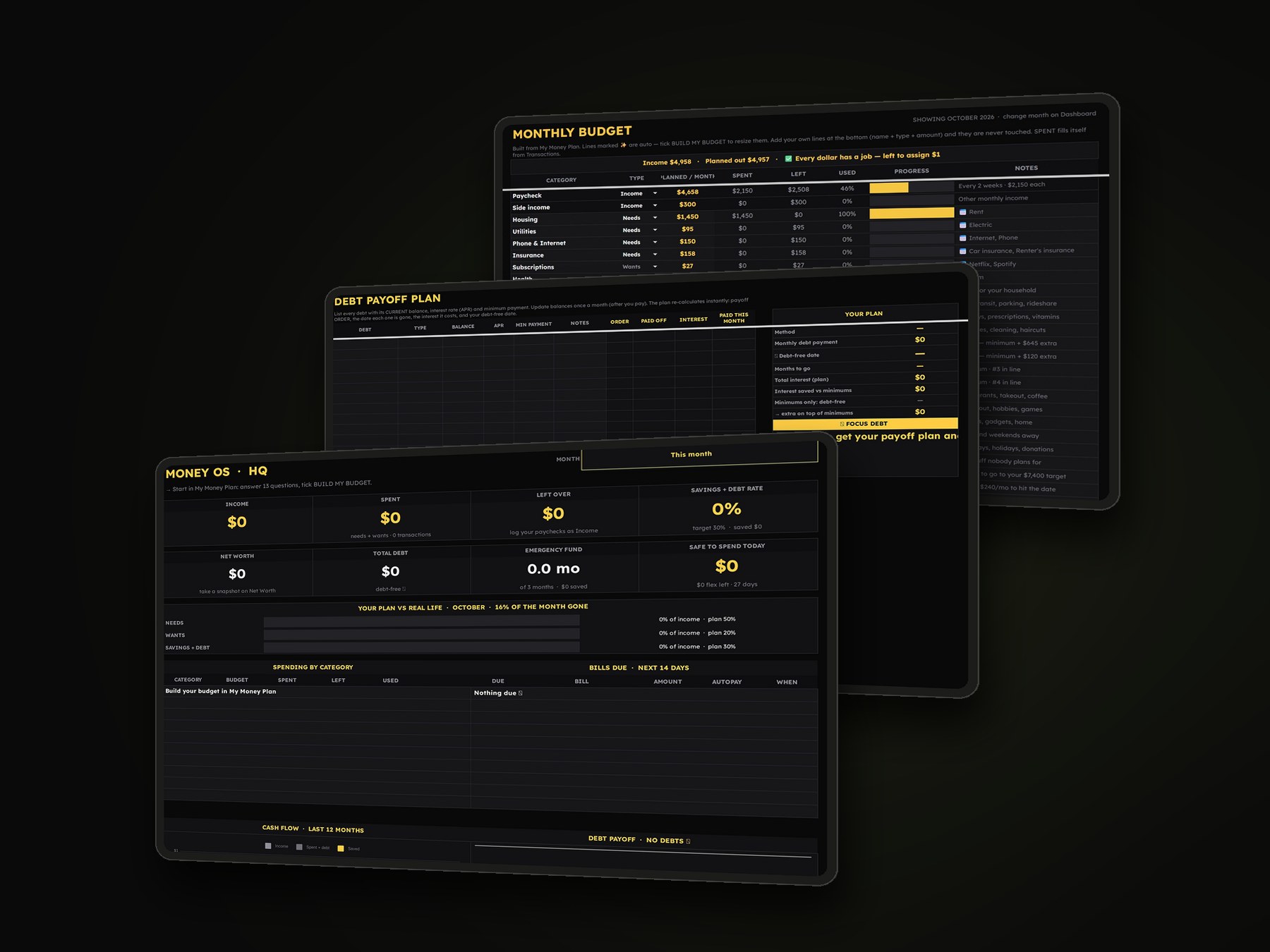
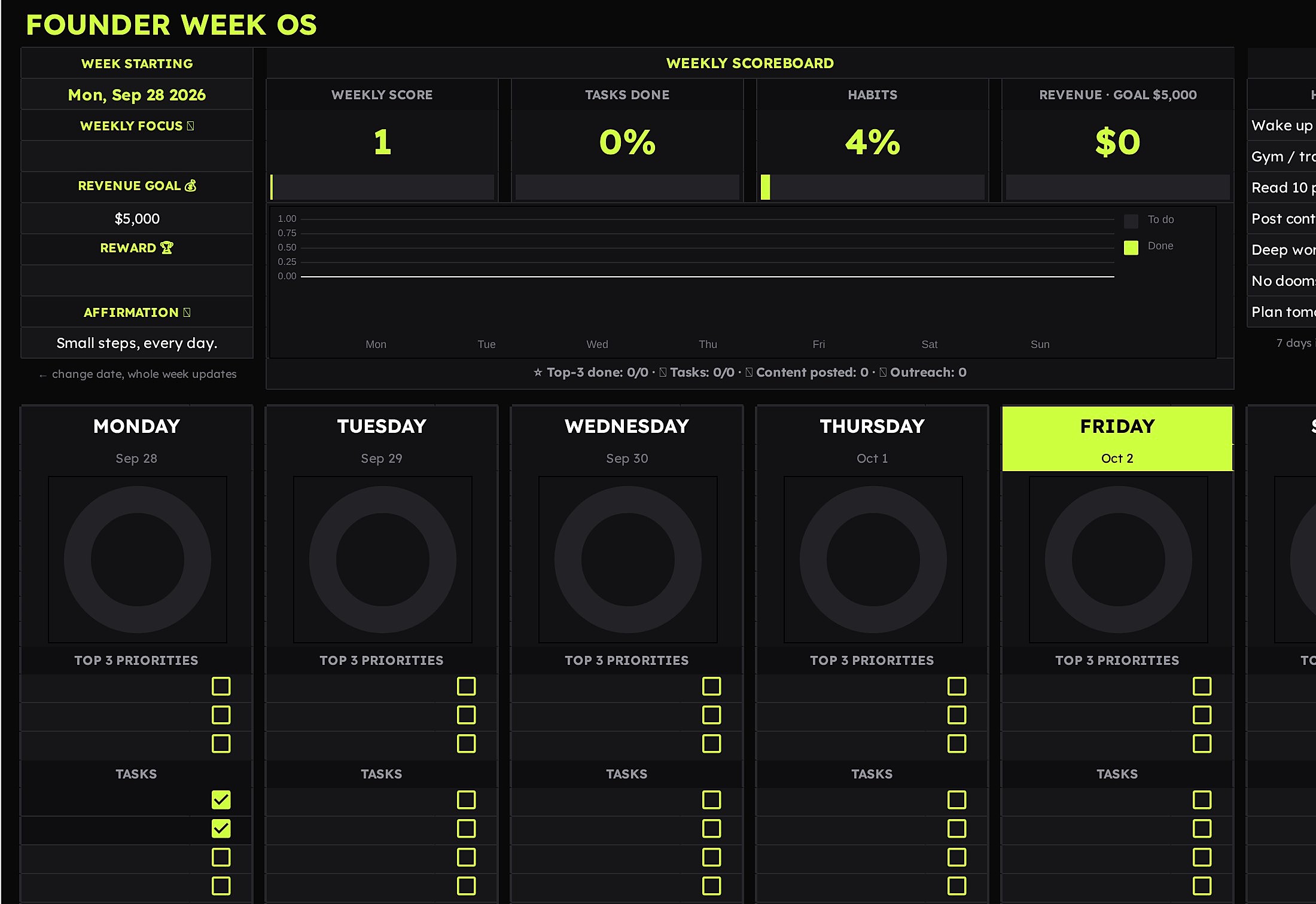
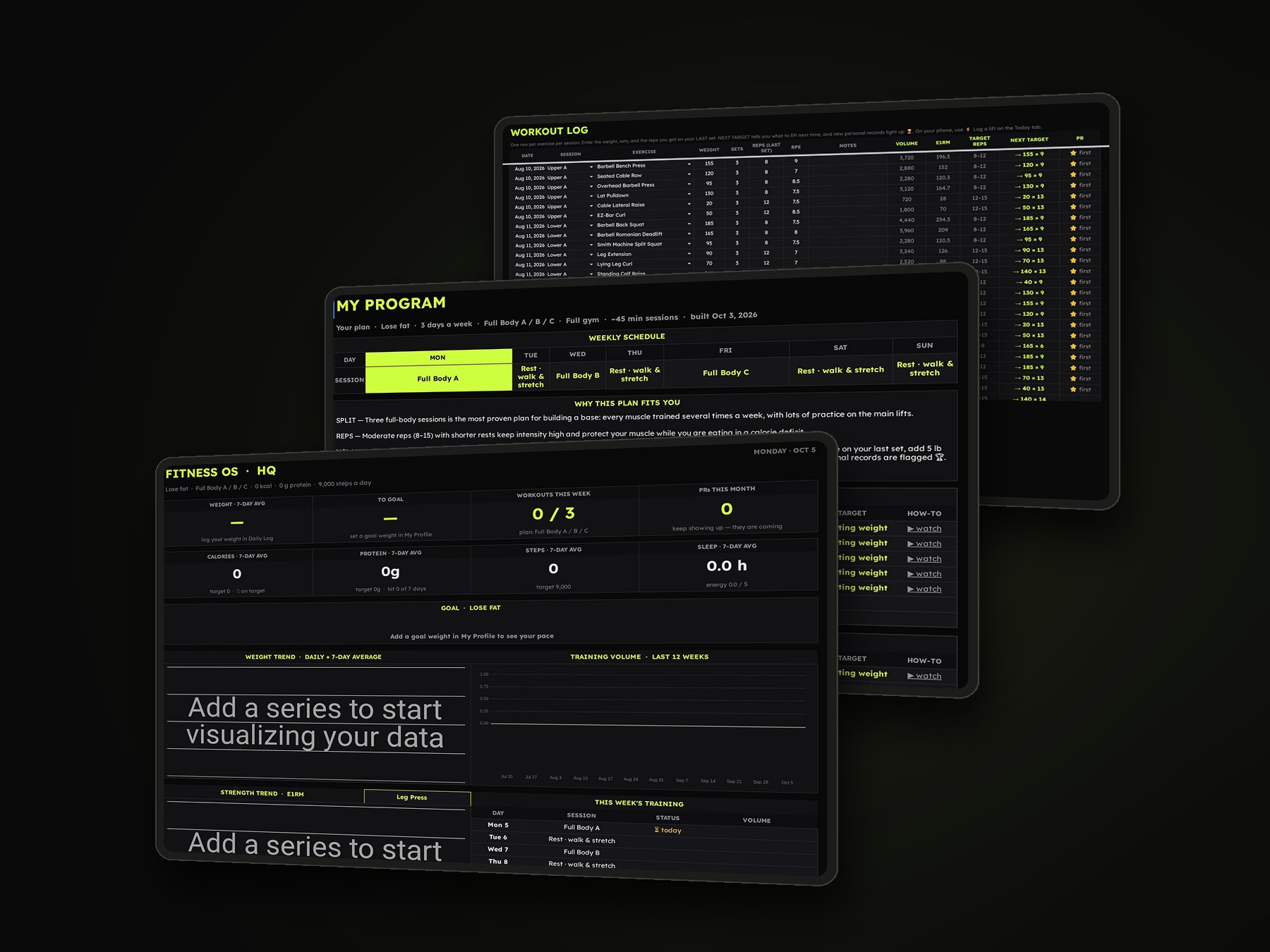
One system. Every area.
Plan your week
Priorities, habits and a clear Today view.
Run your money
A paycheck budget, debt payoff and savings goals.
Train with a program
Workouts, daily targets and progress in one place.
Find your focus
Choose your planner
Mockup · Google Sheets preview
For a focused week
Weekly Planner
A focused weekly planning system in Google Sheets.
Prices in USD (US dollars) · One-time payment · No subscription
Get your plannerSecure checkout
Instant access after purchase — you get a link to make your private copy in Google Sheets, plus a setup guide.
See everything insideWatch it in action
A tour of the planner
Real footage of the sheet · example data
Your whole week in 20 seconds
Real footage of the sheet · example data
Google Sheets based
Desktop + mobile app
No subscription
One payment. Yours for life.
No complicated setup
Answer once. Start planning.
Your data stays yours
Your own private Google Drive copy.
How it works
How the planners work
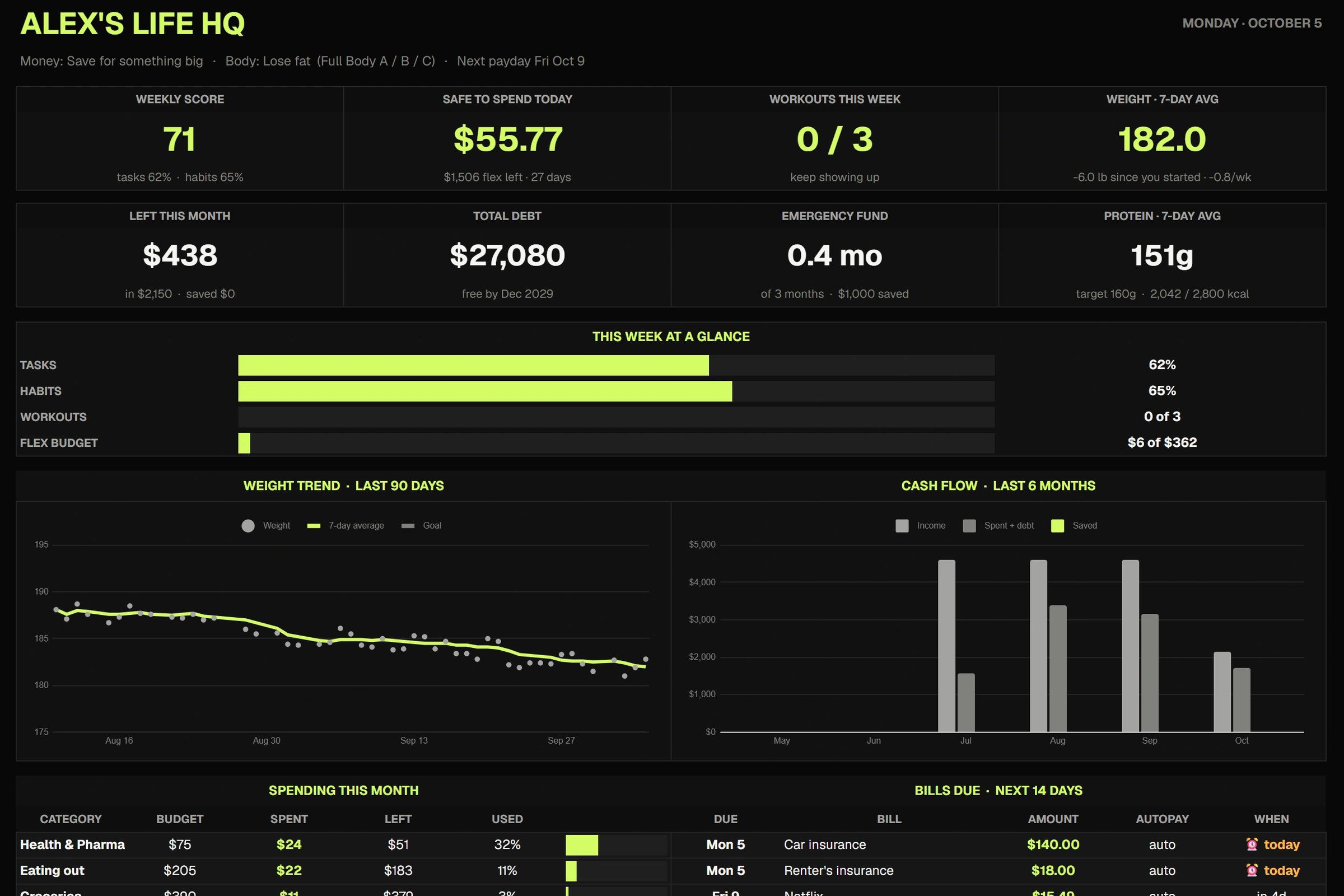
Answer a few questions once
Money, Fitness and Life build your plan from your answers. Weekly and Business start with a few simple settings.
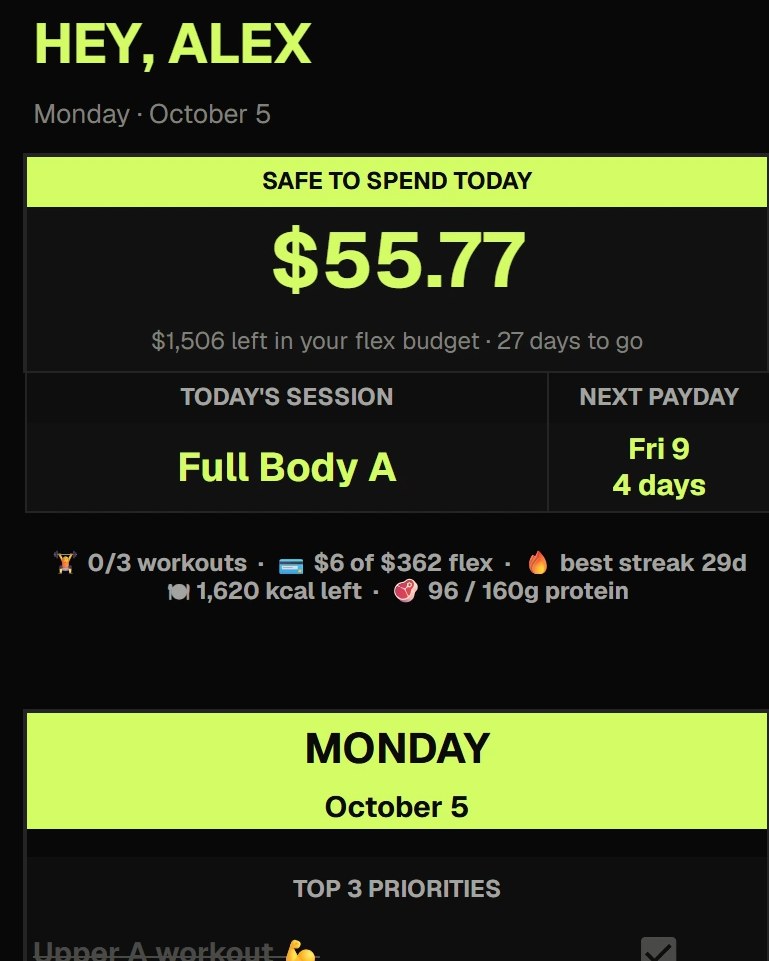
One Today screen for your phone
Your priorities, spending and training stay close, wherever you are.
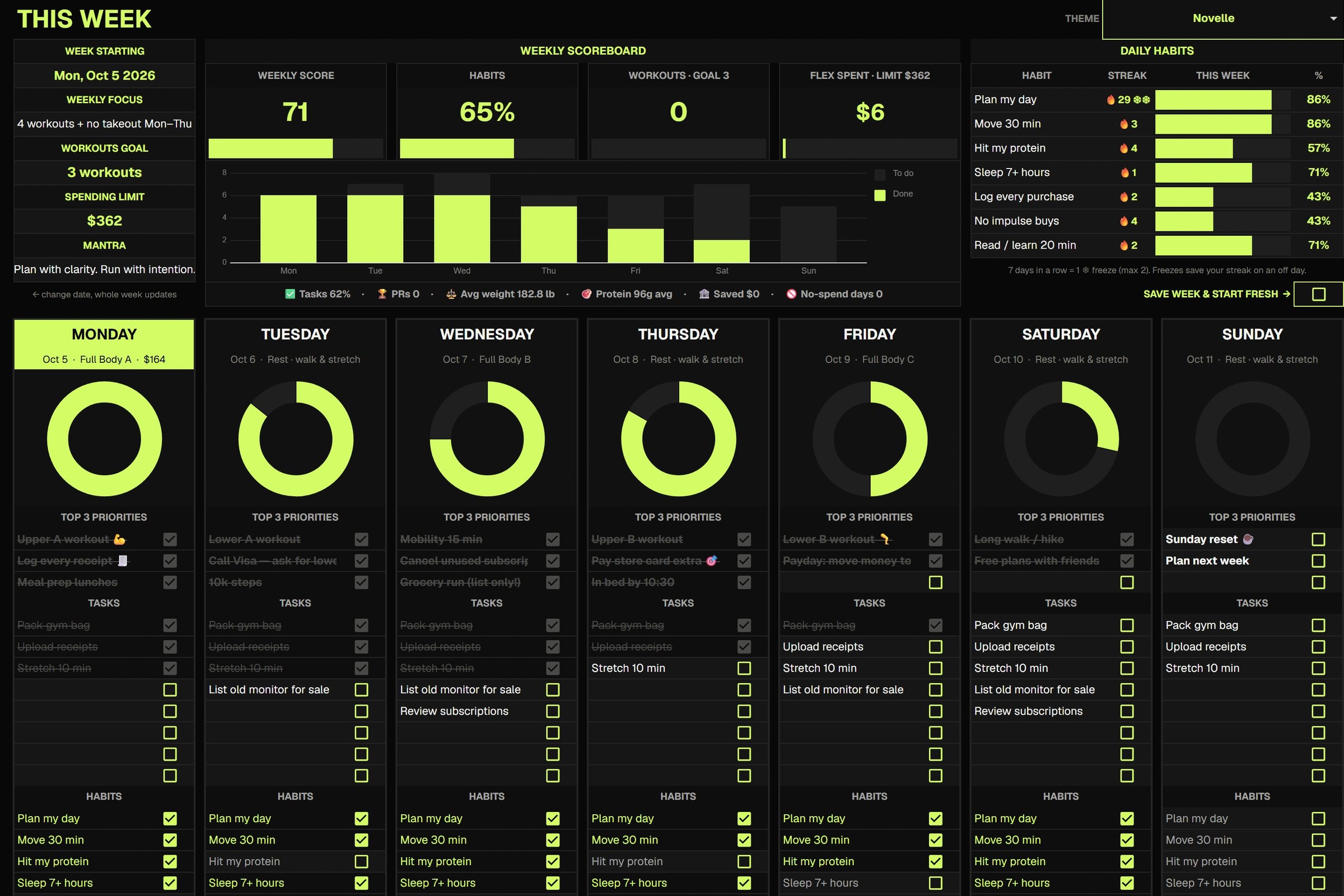
See your progress live
A live Weekly Score and habit streaks keep the week in view.
Save the week. Start fresh.
Review your week, save it to History and reset for the next one.
A setup guide is included
Every planner comes with a short, step-by-step guide. From your first copy to daily use, mobile and troubleshooting.
Weekly Planner · Setup guide
- 01Get your planner
- 02Set it up
- 03Use it every day
- 04Every tab, explained
- 05If something’s not right
A little more clarity, every day.
“This planner helped me lock in. I went on the craziest winter arc, kept track of all my goals, and built good habits. It made everything so easy and helped me stay locked in.”
“This planner helped me construct a routine in my day-to-day life. Ever since I bought it, it has helped me live a more structured life.”
“This planner helped me so much. It helps me get everything I need done and has helped me work much more efficiently.”
“I've tried so many planning apps and notebooks, but this one makes organizing my week feel effortless. Everything is clean, simple, and easy to customize. It's honestly become part of my daily routine.”
“The layout is gorgeous without being overwhelming. I love being able to keep all my goals, appointments, and daily tasks in one place. It makes planning feel exciting instead of stressful.”
“I wanted something that would help me stay organized and focused on my goals. This planner has everything I need, and I love how easy it is to make it my own. Such a great addition to my routine!”
“I love having a clear plan before my day starts. The daily and weekly layouts make it easy to prioritize what matters and keep track of everything without feeling overwhelmed.”
“This is exactly what I was looking for. I can break big goals into smaller steps, plan my week, and see what I need to focus on. The design is minimal, elegant, and genuinely motivating.”
“I love that this planner looks beautiful while still being functional. There's space for everything I need, and it doesn't feel cluttered. It's made my daily planning routine so much more enjoyable.”
No. All five planners are built in Google Sheets, which is free with any Google account. After checkout you make your own private copy, and it lives in your Google Drive — nothing is shared with us or anyone else.
A few minutes for Money, Fitness and Life, or about 10 minutes for Weekly and Business. Open your copy and follow the included setup guide and Start Here tab. No formulas to build, no files to install — just type in your tasks and numbers.
No. The individual planners are $12 each; Life Planner is $20. Each is a one-time purchase. There are no renewals, no monthly fees, and no upsells inside the sheet.
Forever. Your copy is yours for life — reuse it every week and every year at no extra cost. Your saved weeks stay in History.
Yes. Open them in the free Google Sheets app for iOS or Android. Use the Today tab on your phone. Desktop is recommended for menu buttons such as Activate and Save & Reset.
No. Everything is prebuilt — the layouts, the formulas, the summaries. You fill in your plans and numbers, and the planner does the calculating for you.
Yes. Each is a separate Google Sheet, so you can combine the planners that fit your week, business, money and training.
The Life Planner combines the Weekly, Money and Fitness planners into one connected sheet, with one Today screen and one dashboard, for $20. The Business Planner is sold separately.
Yes — you can buy the Life Planner any time. It's a separate one-time purchase of $20.
Only Google Sheets, free with a Google account. Use a desktop browser for the planner’s menu buttons, and the Google Sheets app for daily use on your phone.
Yes. Save your week to History and start fresh. Your private copy is yours for life, with no recurring payment.
A link to make your own private copy in Google Sheets, plus a step-by-step setup guide covering desktop, mobile and troubleshooting.
Email us anytime at novelledigitalco@gmail.com and we'll help you get set up or answer questions about your planner.